Centralized rules
Compatibility, models and options are managed in the BuildHype Editor.

Built for audiophile and Hi-Fi stores, BuildHype guides customers through complex cable choices, showing only compatible options and turning every selection into a clear path to a quote or the cart.
Manage cable types, models, terminations, lengths, finishes and assembly costs in a controlled flow.

The signal cable configurator manages cable families, associations, connectors and specific options based on the selected type.

The power cable configurator clearly separates the mains side from the device side and shows only compatible standards.

The digital cable configurator manages digital protocols, models, connectors, lengths, finishes and available options in one guided flow.
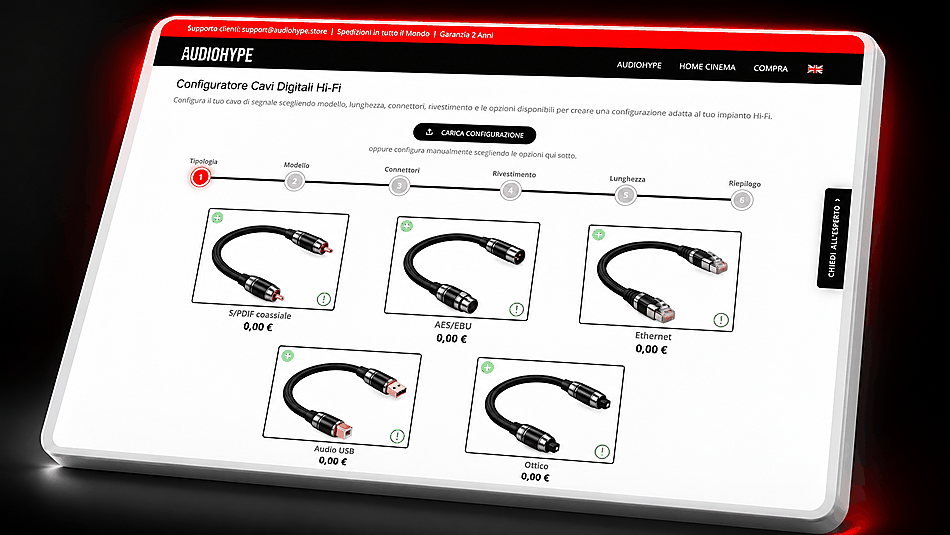
Each configurator uses specific rules while maintaining the same guided flow and customer experience.
Compatibility, models and options are managed in the BuildHype Editor.
Customers see only the options actually available for that configuration.
The completed configuration can continue to a quote or the cart.
BuildHype plans let you activate one, two or all four configurators based on your store’s needs.


